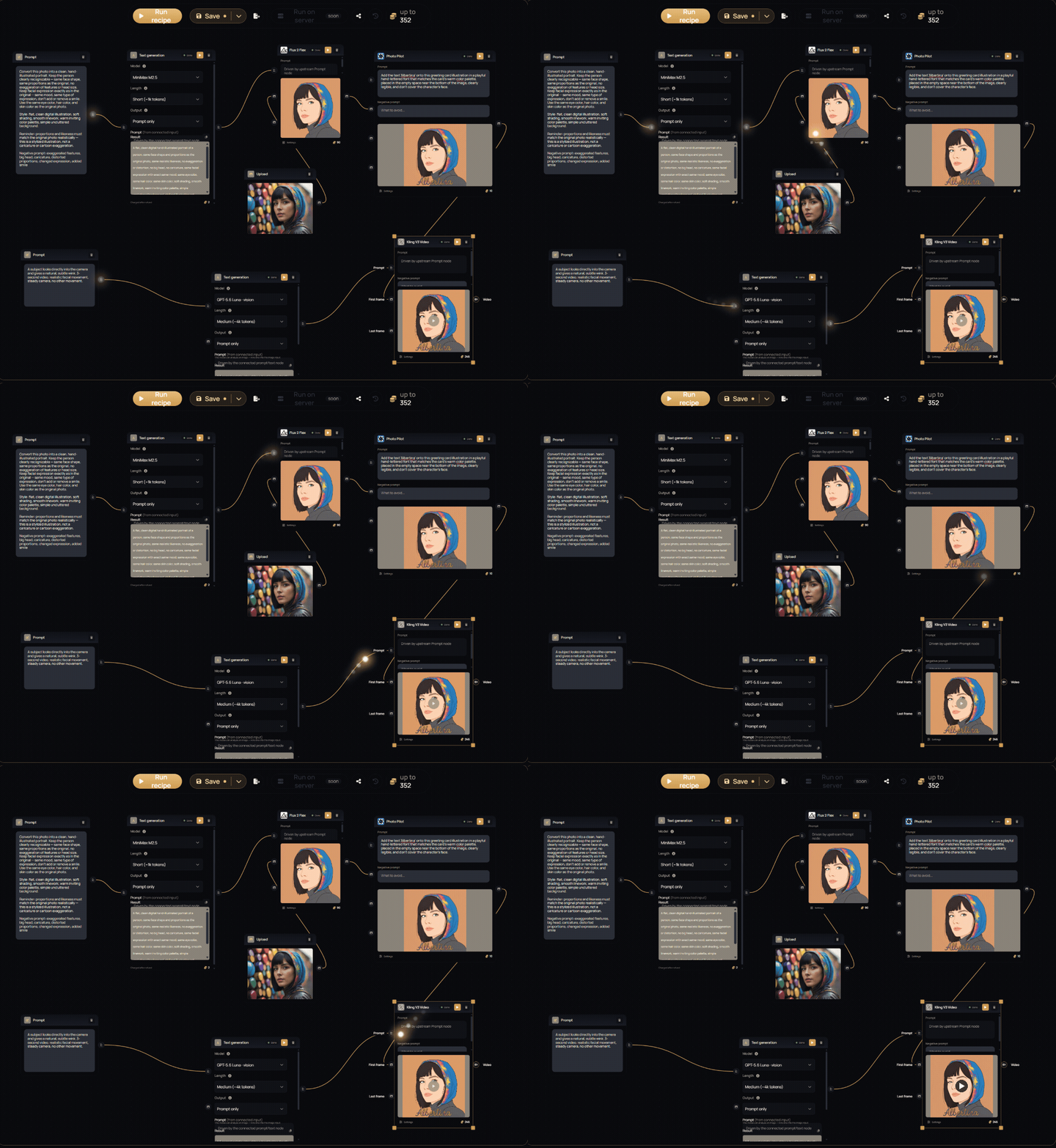
Recipe engine — a whole workflow in one run
Wire image, video and text models together on one canvas and press run once. Each step picks up where the last one left off, and the finished flow is saved as a recipe you can run again or hand to someone else as a link. It comes with every paid plan.
Recipe engine
Drag models onto a canvas and wire them together: a portrait into two image models, each still into its own video. Press run and every step follows in the order you wired it, with live status on each card. No re-prompting, no carrying results between tabs by hand. Run a single step on its own, or stop a run part-way through.
See the recipe engineFive kinds of node
Image, video and utility models with their full settings on the card; a text generation node whose writing can drive any model's prompt; reusable prompts; media sources from an upload or your own artworks; and sticky notes, so the next person knows how the recipe works.
The price before you press run
Every step shows its own credit cost and the canvas keeps a running total, so you know what a run costs before you start it. Each step is charged at the price shown.
Share a recipe as a link
Whoever opens a copy link gets their own editable copy in their account, and yours stays exactly as you left it. Revoke any link at any time.
Recipes travel as files
Export any recipe to a file and import it into another account, another team or a backup. Import tells you exactly what came through.
Groups and text collections
Frame related nodes as a named, coloured group. A text collection keeps every text you save from a text generation node, and the one you pick drives the prompts downstream.
Duplicate, or save as new
Branch a recipe without touching the original — duplicate it from your library, or save the one on the canvas as a new recipe.
Reopen where you left off
Saving happens when you choose to, and a recipe reopens with its latest results still on the nodes.
Navigation fits mid-width screens
The top bar has a compact layout for laptop and tablet widths, so the navigation stays visible instead of disappearing.
Report a blocked upload
If an upload is refused and you think that is a mistake, report it straight from the notice. A person reviews it.
A warning before you leave a run
Leaving the page while a recipe is running asks you first, so a run is not abandoned by a stray click.
Tell us what you build
Recipes are new, and the next steps depend on the flows you actually make. Send us what works, what gets in the way, and the node you wish existed, at support@alberti.studio.